Comparisons
tawk.to Alternatives in 2026: 5 Honest Options Compared (Free and Paid)
A short, fair comparison built from public pricing pages: what tawk.to does well, five alternatives, who each one fits, and how to switch without losing anything.
ReplyOnSite TeamPublished 10 min read
On this page
tawk.to has been the default answer to "what free live chat should I use?" for years, and for good reason. It gives small businesses a working chat widget, an agent dashboard and ticketing without asking for a credit card. But as customer support has shifted toward AI-assisted answers and messaging apps, many teams now find they want things that cost extra on tawk.to, or that live in a different kind of product altogether.
This guide does three things. It explains when tawk.to is still the right call, compares five alternatives on the criteria that matter to small teams, and gives you a checklist for switching without losing your saved replies or your sanity.
Why people look for tawk.to alternatives#
Across review sites and comparison roundups, the reasons people give for leaving a free chat tool cluster into a few themes. None of them mean the tool is bad; they mean the team's needs changed.
- AI answers. Visitors arrive at all hours. Teams want an assistant that answers routine questions from their own help content and hands everything else to a person. On tawk.to this is the AI Assist add-on, priced from $29 a month according to its pricing page (opens in a new tab), with a forever-free AI plan for sites with limited chat volume.
- Branding. tawk.to is free as long as the "Powered by tawk.to" line stays on the widget. Removing it is $29 a month.
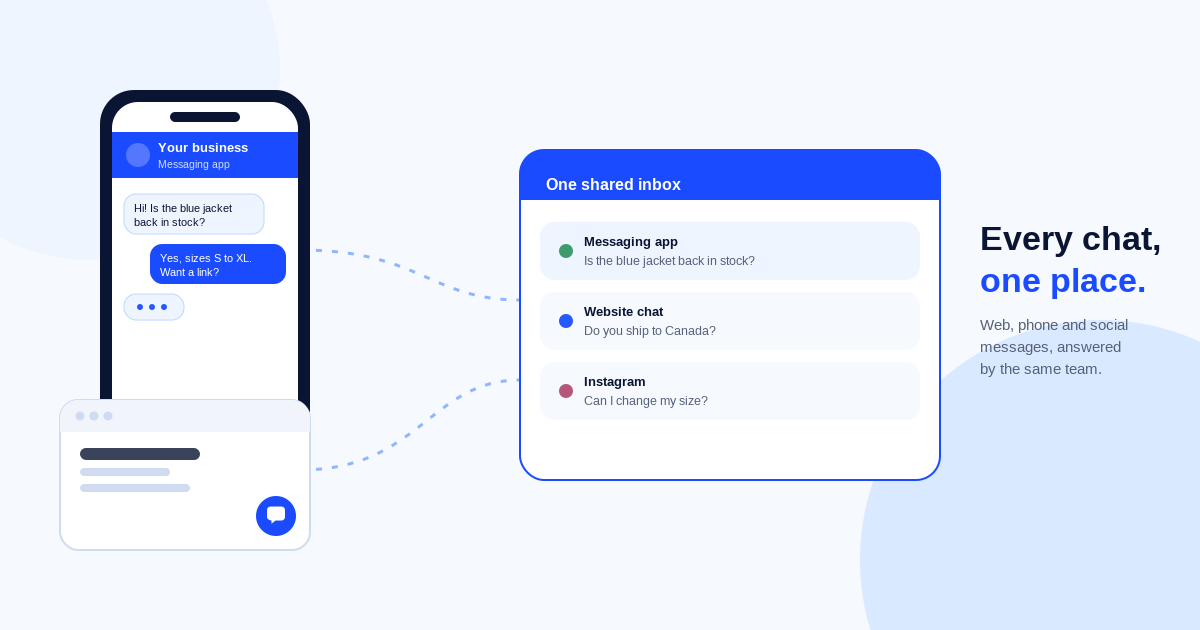
- One inbox for every channel. Customers increasingly message businesses on WhatsApp, Instagram and Messenger. Some teams want those conversations next to website chat instead of in separate apps.
- Predictable totals. Add-ons are flexible, but two or three of them can add up. Some teams prefer a single plan price that includes the pieces they use.
What tawk.to does well (and when to stay)#
Before comparing alternatives, it is worth being clear about tawk.to's strengths, because for many businesses they are decisive. According to tawk.to's pricing page (opens in a new tab) as of November 2026:
- Live chat is free for life if you keep the tawk.to branding.
- A hosted knowledge base and smart ticketing are included at no cost.
- A forever-free AI plan is available for sites with limited chat volume.
- You can hire chat agents through tawk.to at $1 an hour, and virtual assistants from $7 an hour.
Stay on tawk.to if your chat volume is modest, a person answers every chat, the branding does not bother you, and you do not need messaging channels in the same inbox. Switching tools has a real cost in time, and "free and working" is a strong position.
Consider moving if you are already paying for one or more add-ons, you want an AI assistant to handle first replies on a predictable allowance, or you want WhatsApp, Messenger, Instagram or Telegram in the same place as website chat.
How we compared the alternatives#
Feature grids with 60 rows are not much help when you are a team of three. We used six criteria that decide whether a chat tool works for a small business day to day:
- Free plan. Can you run it on your real site without paying, and what are the limits: seats, conversations, AI, branding?
- Entry price. The lowest paid monthly price on the public pricing page, and whether it is per seat or per workspace.
- How AI is priced. Included allowance, credits, per-resolution counts or a separate add-on.
- Human handoff. Whether the AI can step aside cleanly. We cover what good handoff looks like in our handoff guide.
- Channels. Which messaging apps can share the inbox, and on which plan.
- Setup effort. How long it takes to replace the tawk.to snippet and be ready for real visitors.
We did not score products on features we could not confirm on their public pages. Where a pricing page did not say something clearly, we left it out rather than guess.
Pricing at a glance (as of November 2026)#
All figures below come from each vendor's public pricing page on November 15, 2026, in US dollars, billed monthly unless noted. Sort by any column with the header buttons.
| Free plan | AI pricing | |||
|---|---|---|---|---|
| tawk.to | Live chat, ticketing and knowledge base, with tawk.to branding | Add-ons from $29/mo | AI Assist from $29/mo; forever-free AI plan for limited volume | Free core plus add-ons |
| ReplyOnSite | 1 agent seat, 1 website, 50 AI trial replies (once) | $9.50/mo (Starter) | Monthly AI reply allowance on every paid plan (500 to 5,000) | Per workspace |
| Tidio | 50 billable conversations, 50 lifetime Lyro AI conversations | $24.17/mo (Starter) | Lyro AI Agent add-on from $32.50/mo | Per conversation volume |
| Crisp | 2 seats, no AI credits | $45/mo (Mini) | AI credits included on paid plans ($5 on Mini) | Per workspace |
| LiveChat | No free plan; 14-day free trial | $25/user/mo ($19 billed yearly) | AI resolutions included per plan (10/mo on Essential) | Per user |
| Smartsupp | 1 operator, 25 conversations a month | $17/mo (Solo) | Mira AI Agent from $16/mo; AI reply assists on paid plans | Per plan, by operators |
Two things jump out. First, "free" means very different things: tawk.to's free tier is the most generous for human-only chat, while most others cap seats or conversations. Second, the real comparison for AI is not the plan price but how many automated answers you get for it, which is why we listed AI pricing separately.
Free plans compared: what "free" really includes#
If you are leaving tawk.to, you are probably used to a generous free tier, so it is worth reading the free plans closely. They limit different things, and the right one depends on where your volume is.
- Seats. tawk.to does not limit agents on its free tier. Crisp's free plan has 2 seats, while Smartsupp's and ReplyOnSite's have 1. If three people answer chats today and none of them want to pay, that alone narrows the field.
- Conversations. Smartsupp's free plan covers 25 conversations a month and Tidio's free plan 50 billable conversations. ReplyOnSite does not cap human chat conversations on any plan, including Free.
- AI. Free AI is usually a trial. Tidio includes 50 lifetime Lyro conversations, ReplyOnSite includes 50 AI trial replies once, and Crisp's free plan includes no AI credits. tawk.to offers a forever-free AI plan for sites with limited chat volume.
- Websites. ReplyOnSite's Free and Starter plans cover one website; Growth covers 10 and Business is unlimited. If you run several shops or brands, check how each tool counts sites before you compare prices.
- Branding. Most free tiers show the vendor's name on the widget. On tawk.to removing it is a $29 add-on; on ReplyOnSite it is part of the paid plans.
A practical way to choose: write down how many people answer chats, roughly how many conversations you get in a busy month, and whether you want automated answers outside your hours. Those three numbers rule out most options before you look at a single feature list.
The 5 tawk.to alternatives, reviewed#
1. ReplyOnSite: AI answers and messaging channels on a small-team budget
ReplyOnSite is a live chat platform with an AI assistant that answers from your own knowledge base and hands off to a person when it cannot. It is our product, so here are the facts from our plans and code rather than adjectives.
Plans, as listed on our pricing page: Free ($0, 1 agent seat, 1 website, 50 AI trial replies once), Starter ($9.50 a month, 2 seats, 1 website, 500 AI replies a month), Growth ($24.50 a month, 5 seats, 10 websites, 2,000 AI replies) and Business ($49.50 a month, 10 seats, unlimited websites, 5,000 AI replies). Human chat conversations are unlimited on every plan. The Free plan shows ReplyOnSite branding; paid plans can remove it. If paid checkout shows as coming soon when you visit, the Free plan is available immediately.
What is included that tawk.to users often pay extra for or handle elsewhere:
- An AI assistant grounded in articles you write, PDFs and Word files you upload, or pages it learns from your website. Questions it could not answer are logged so you can fill the gaps.
- WhatsApp, Messenger, Instagram and Telegram, connected per website, in the same inbox as web chat.
- A widget and AI replies in 15 languages, plus automatic two-way translation in the inbox.
- A visual chatbot flow builder with buttons, cards and forms, tickets, SLA targets and reports.
- For Shopify stores, an AI action that looks up order status after checking the order's email.
Pros
- Lowest paid entry price on this list ($9.50 a month)
- AI reply allowance included in every paid plan
- Messaging channels and web chat in one inbox
- Privacy tools: data export and erasure, two-factor sign-in
Cons
- Free plan has one seat and one website
- Free AI is a one-time trial of 50 replies
- A newer product with a smaller ecosystem than long-established vendors
- WhatsApp template messages are not supported yet, so replies must stay inside the 24-hour window
2. Tidio: AI and automation Flows for online stores
Tidio combines live chat with its Lyro AI agent and automation Flows. According to its pricing page (opens in a new tab) as of November 2026, the Free plan includes 50 billable conversations and 50 lifetime Lyro conversations, with Flows limited to 100 unique visitors a month. Starter is $24.17 a month for 100 billable conversations, Growth starts at $49.17 a month, and Plus starts at $300 a month. Lyro is also sold as an add-on from $32.50 a month for 50 Lyro conversations.
Pros
- AI agent and automation Flows from one vendor
- Free plan includes a small Lyro AI allowance
- Annual billing option advertises two months free
Cons
- Pricing is tied to conversation volume, so busy months cost more to plan for
- The free Lyro allowance is lifetime, not monthly
- Lyro is a separate add-on on some plans
3. Crisp: flat workspace pricing with an omnichannel inbox
Crisp charges per workspace instead of per seat. According to its pricing page (opens in a new tab) as of November 2026: Free ($0, 2 seats, no AI credits), Mini ($45 a month, 4 seats, $5 in AI credits), Essentials ($95 a month, 10 seats, $25 in AI credits) and Plus ($295 a month, 20 seats and up, $75 in AI credits). Essentials is where Crisp lists connecting WhatsApp Business, Instagram DMs, SMS and other channels to the inbox.
Pros
- Free plan includes two seats
- Flat pricing per workspace rather than per agent
- Omnichannel inbox on Essentials and above
Cons
- No AI credits on the free plan
- Messaging channels start at the $95 Essentials plan
- The paid entry point ($45) is the highest of the per-workspace options here
4. LiveChat: per-seat plans for established support teams
LiveChat is a dedicated live chat product priced per user. According to its pricing page (opens in a new tab) as of November 2026: Essential is $19 per user a month billed yearly ($25 billed monthly) and includes 1 AI agent and 10 AI resolutions a month; Growth is $79 per user a month billed yearly ($99 monthly) with 200 AI resolutions a month; Enterprise is custom. There is a 14-day free trial and no free plan.
Pros
- Plans built around teams of dedicated agents
- AI agents and reply suggestions included per plan
- 14-day trial without a credit card
Cons
- No free plan
- Per-user pricing grows with every agent you add
- AI resolutions on the entry plan are limited to 10 a month
5. Smartsupp: a free tier plus an optional AI agent
Smartsupp separates human chat plans from its autonomous AI agent. According to its pricing page (opens in a new tab) as of November 2026: Free ($0, 1 operator, 25 conversations a month), Solo ($17 a month, 1 operator, unlimited conversations, 50 AI reply assists), Plus ($25 a month, 3 operators, 250 AI reply assists) and Expert ($83 a month, 5 or more operators). The Mira AI Agent, which answers visitors and hands over to a human, is sold separately from $16 a month for 100 conversations. Prices exclude VAT.
Pros
- Free tier for a single operator
- Unlimited conversations on paid chat plans
- AI agent can be added or skipped independently
Cons
- Free plan is capped at 25 conversations a month
- An autonomous AI agent costs extra on every plan
- Prices are shown excluding VAT, so totals vary by country
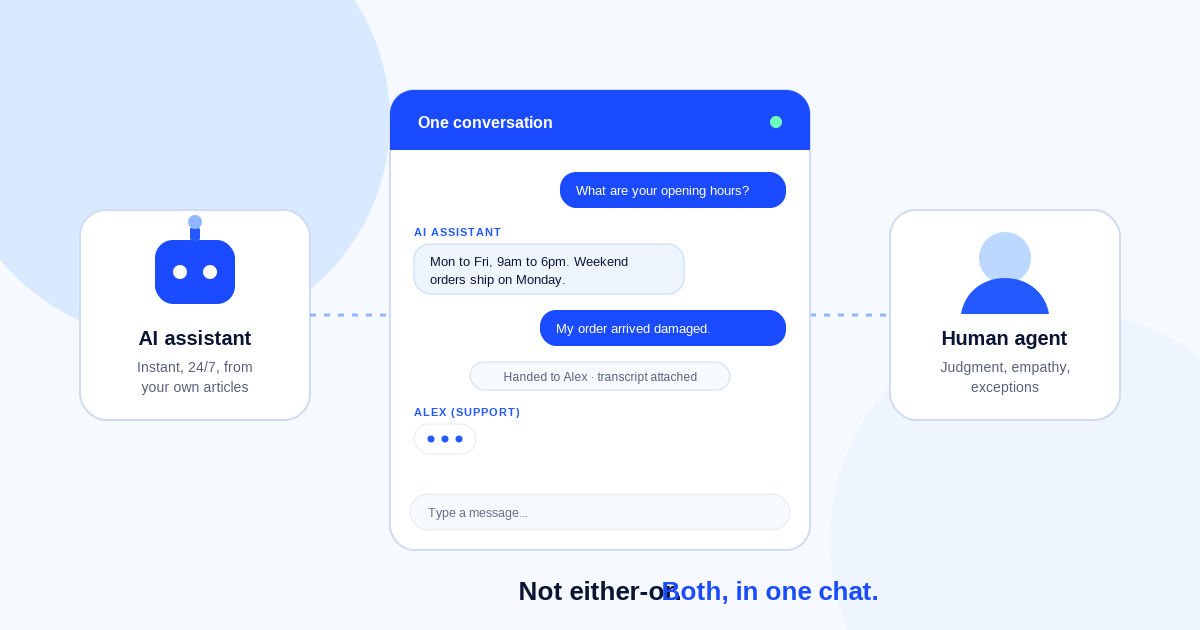
- Visitor: Do you offer free returns?
- AI assistant: Yes. Returns are free within 30 days if the item is unused. (Source: Returns policy)
- Visitor: My refund from last week still has not arrived.
- AI assistant: I can't see refund details, so I'm bringing in someone from the team who can check.
- System: Handed to Sam · transcript attached
- Sam (Support): Hi, I can look into that. Could you share your order number?
Which one should you pick?#
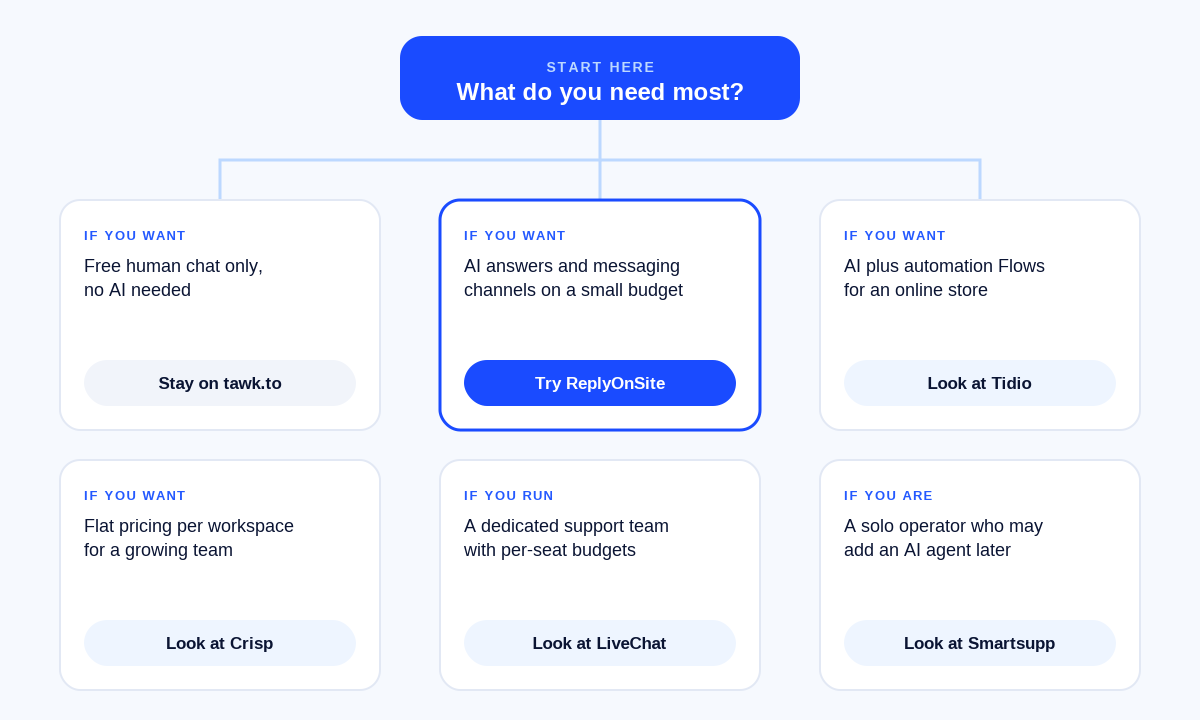
Match the tool to the job you are hiring it for:
- Only free human chat, many agents: stay on tawk.to.
- AI answers and messaging channels on a small budget: ReplyOnSite, starting free and listed at $9.50 a month for two seats and 500 AI replies.
- An online store that wants AI plus automation Flows from one vendor: Tidio.
- A growing team that prefers flat workspace pricing: Crisp.
- A dedicated support team with per-seat budgets: LiveChat.
- A solo operator who wants to add an AI agent later: Smartsupp.
Whatever you pick, test it the same way: install it on your real site, ask it the five questions customers send you most, and check what happens when nobody is online. If you are still deciding whether you need AI at all, our comparison of AI chatbots vs live chat walks through it.
Switching from tawk.to: a migration checklist#
The code swap takes minutes. The parts that take thought are your saved answers and your routines. Work through this list in order and visitors will not notice the change, except that answers get faster.
- Save what you want to keep. Before removing anything, save the past conversations and contact details you need from your tawk.to dashboard, using whatever export options its help center currently describes. New tools generally start with an empty history, so keep this copy as your archive.
- List your shortcuts. Copy your tawk.to shortcuts into a document. In ReplyOnSite they become saved replies, inserted from the composer by typing
/and a short name. - Move your help content. Recreate key knowledge base articles, or upload them as PDF or Word files: each section becomes a draft article you review before the AI uses it. You can also let the assistant learn pages from your website.
- Rebuild triggers. If you used automatic greetings, recreate them as proactive triggers based on time on page and URL.
- Set hours and offline behavior. Decide whether the AI answers outside hours, and turn on the offline form so messages become tickets instead of disappearing.
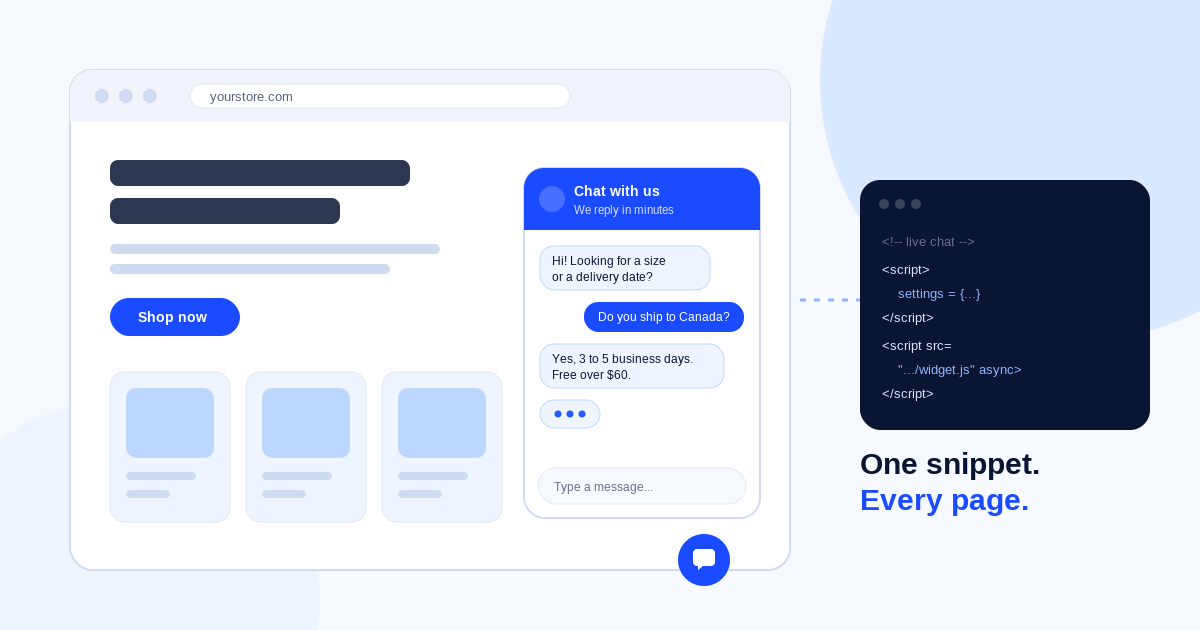
- Swap the snippet. Remove the tawk.to script from your site (or deactivate its plugin) and paste the new snippet in the same place. Our install guide and step-by-step article cover every major platform.
- Invite your team and turn on notifications. Agents can get alerts in the browser, as push notifications, or in Slack and Telegram.
- Test like a visitor, then announce. Open your site in a private window, send a message, reply, and ask the AI something it should not know to confirm the handoff works.
If messaging channels were part of your reason for switching, our guide to WhatsApp chat for your website explains the difference between a simple click-to-chat button and a shared inbox.
Frequently asked questions
What is the best free alternative to tawk.to?
It depends on what you need beyond free chat. As of November 2026, Crisp's free plan includes 2 seats, Tidio's free plan includes 50 billable conversations and 50 lifetime Lyro AI conversations, Smartsupp's free plan covers 1 operator and 25 conversations a month, and ReplyOnSite's Free plan includes 1 agent seat, 1 website and 50 AI trial replies. If you need many free agent seats and no AI, tawk.to itself is hard to beat.
Is tawk.to really free?
Yes. tawk.to's live chat, ticketing and knowledge base are free if you keep the "Powered by tawk.to" branding, according to its pricing page. Paid add-ons as of November 2026 include branding removal at $29 a month, AI Assist from $29 a month and hired chat agents at $1 an hour.
Which tawk.to alternative has the best AI chatbot?
Look for an assistant that answers only from your own content and hands off to a person cleanly, then compare how AI is priced. Tidio sells Lyro conversations, Crisp includes AI credits on paid plans, LiveChat includes AI resolutions per plan, Smartsupp sells its Mira AI Agent from $16 a month, and ReplyOnSite includes a monthly AI reply allowance on every paid plan.
Can I move my chat history from tawk.to?
Before you remove tawk.to, save whatever past conversations and contact details you need from your tawk.to dashboard, and check its help center for the current export options. ReplyOnSite does not import another vendor's transcripts, so treat that copy as an archive and start fresh conversations in the new inbox.
How long does it take to switch from tawk.to?
The technical swap takes minutes: remove the tawk.to snippet and paste the new one in the same place. Rebuilding shortcuts as saved replies, adding knowledge base content and setting up triggers usually takes an afternoon for a small team.
tawk.to vs Tidio: which is better for a small store?
tawk.to is better if you want unlimited free human chat and can live without AI or pay for AI Assist. Tidio fits stores that want AI and automation Flows in one product and are comfortable with conversation-based limits, starting with a free plan and a Starter plan at $24.17 a month as of November 2026.
tawk.to vs Crisp: what is the main difference?
tawk.to charges for add-ons on top of a free core, while Crisp charges a flat price per workspace. As of November 2026, Crisp's plans run from Free (2 seats, no AI credits) to Mini at $45 and Essentials at $95 a month, with WhatsApp and Instagram listed on Essentials.
ReplyOnSite
Answer every visitor. Hand the hard ones to a person.
Live chat, an AI assistant grounded in your own content, and WhatsApp, Messenger, Instagram and Telegram in one inbox. The Free plan needs no card.
Keep reading
Guides
How to Add Live Chat to Your Website: A Step-by-Step Guide for 2026
One script tag, the exact place to paste it on every major platform, and the settings to get right before your first visitor says hello.
11 min read
AI support
AI Chatbot vs Live Chat: Which Does Your Small Business Need?
Bots are fast and tireless, people are trusted and flexible. A practical framework for deciding which questions go to which, and how to combine them.
10 min read
Channels
WhatsApp Chat for Your Website: Links, Buttons and a Shared Inbox Compared
A wa.me link takes five minutes. A shared team inbox takes an afternoon. Here is what each level really gives you, and when the extra setup is worth it.
10 min read